 My

Better Proposals
The only price list here with a plan built for exactly one sender, at $13 a month billed yearly
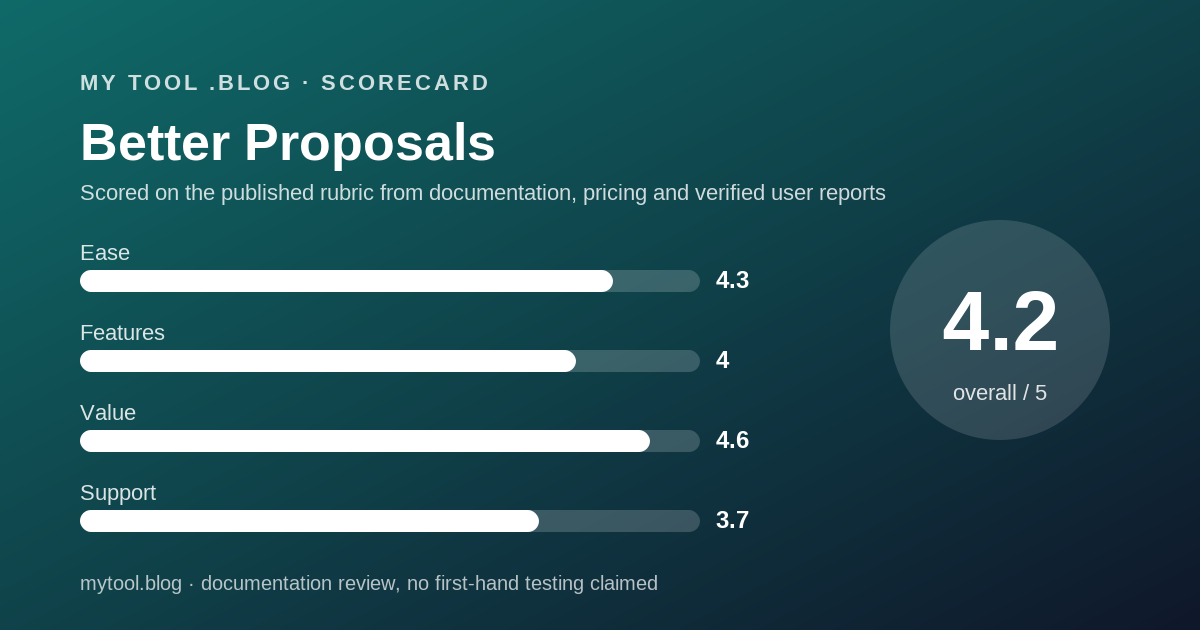
Scored on the published rubric, from documentation, pricing and verified user reports.
Best for: A freelancer who sends fewer than ten proposals a month and wants one seat, one price, and signatures included at the bottom step.
Verdict
What this review is based on: the vendor's published pricing page, its toggle markup, its full plan comparison table and its pricing FAQ, read from the rendered page on October 25, 2026. No account was opened, free or paid. That is the documentation review label on this blog, the third of the three honest positions.
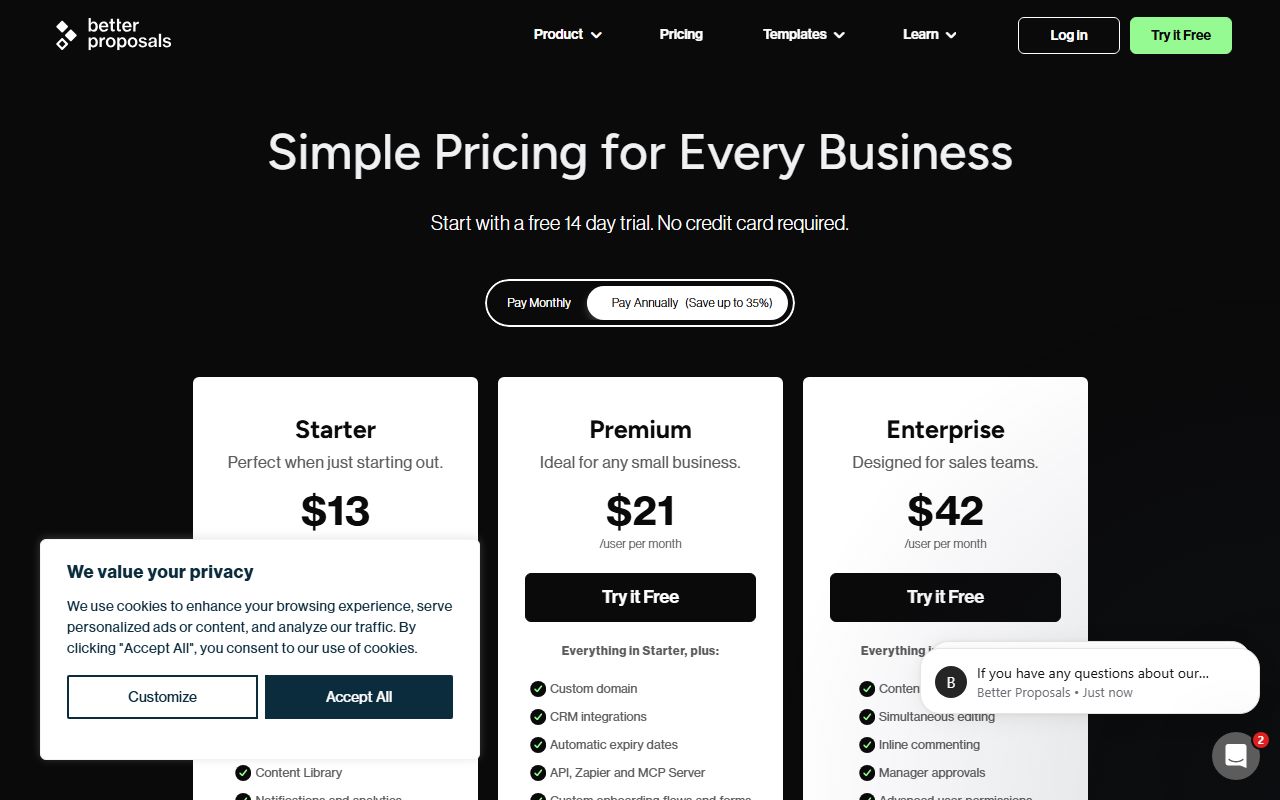
Better Proposals prints the cheapest first step of the three proposal tools read for this cluster. Starter is $13 per user per month billed annually, or $19 billed monthly, and the comparison table prints both figures in the same cell.
It is also the only one of the three whose entry plan is openly sized for one person. The table caps Starter at one user seat. Nothing is hidden behind a quote.
The cost of that price is a meter. Starter allows 10 sent documents a month. Premium allows 50. Only Enterprise, at $42 a seat annually, prints Unlimited.
The page also argues with itself in three places, and one plan card prints a figure we will not repeat as a price.
Visit Better Proposals
We have no affiliate relationship with this vendor. Link goes to the official site.
Where it is strong
- **$13 per user per month billed annually is the lowest entry step of the three**, against $35 at Qwilr and $39 at Proposify on price lists read the same day (pricing pages, October 25, 2026).
- **The entry plan is honestly sized for one person.** The comparison table prints Maximum user seats of 1 for Starter, so nobody buys a team plan by accident (feature table, October 25, 2026).
- **Signatures, payments and tracking sit on every plan, not behind the ladder.** The included-on-every-plan block lists legally binding digital signatures, taking payments, open tracking and live notifications (pricing page, October 25, 2026).
- **Templates are not metered.** The same block lists unlimited saved templates and use of the content library with no limits, and the site menu offers over 260 free document templates (pricing page and site menu, October 25, 2026).
- **The trial asks for nothing.** Both the header and the closing block print a 14-day trial, no credit card required, and the footer adds the words nothing to cancel (pricing page, October 25, 2026).
Where it falls short
- **Starter meters sends at 10 a month.** By the editors' arithmetic that is 120 documents a year. A freelancer who quotes three jobs a week is already over it (feature table, October 25, 2026).
- **The annual saving is smaller than the label.** The toggle says save up to 35 percent. The printed pairs give 31.6 percent on Starter, 27.6 percent on Premium and 14.3 percent on Enterprise, by the editors' arithmetic.
- **Support hours are printed twice and do not match.** The top of the page promises a two minute response from a human 24 hours a day; the support row in the table says Live Chat, 20 hours a day.
- **Removing the vendor's badge costs a tier.** The FAQ states that branding removal is a Premium and Enterprise feature, so a Starter proposal carries someone else's logo to your client (pricing FAQ, October 25, 2026).
- **The fourth card's price cannot be read.** The Elite card prints a figure of 10,000 against a unit that reads per user per month, and the page markup holds 100 for the monthly toggle and 10,000 for the annual one.
At a glance
| Starting price | $13 per user per month billed annually, $19 monthly |
|---|---|
| Pricing note | From $13 per user per month billed annually, or $19 monthly, with a 10-document monthly send limit on Starter (pricing page, checked October 25, 2026) |
| Free plan | None printed; 14-day trial, no credit card |
| Seat limit at entry | Starter capped at 1 seat; Premium and Enterprise print Unlimited |
| Monthly send limit | Starter 10, Premium 50, Enterprise Unlimited |
| Signatures | Legally binding e-signatures listed on every plan |
| Support printed | Help docs plus a live chat row that reads 20 hours a day |
| Paid extras | Nudge follow-up $10 per user per month; custom template design from $1,495 |
What this review is based on, and what it cannot tell you
It is based on one page, read properly. The pricing page was opened in a real browser engine on October 25, 2026, because the plan prices are drawn after load and a plain machine read returns a page with no prices on it.
From that read we have the four plan cards, the monthly and annual values sitting in the toggle markup, every row of the full plan comparison table, the included-on-every-plan block, the two paid extras and the pricing FAQ.
What we do not have is a feel for the editor. No account was opened, so nothing here describes what building a proposal is like. For that, trial it for the 14 days the page offers and judge it yourself.
The method is the same one used for the e-signature cluster on this blog. Price lists and feature tables are documents. They can be read, quoted and checked for arithmetic.
What Better Proposals is
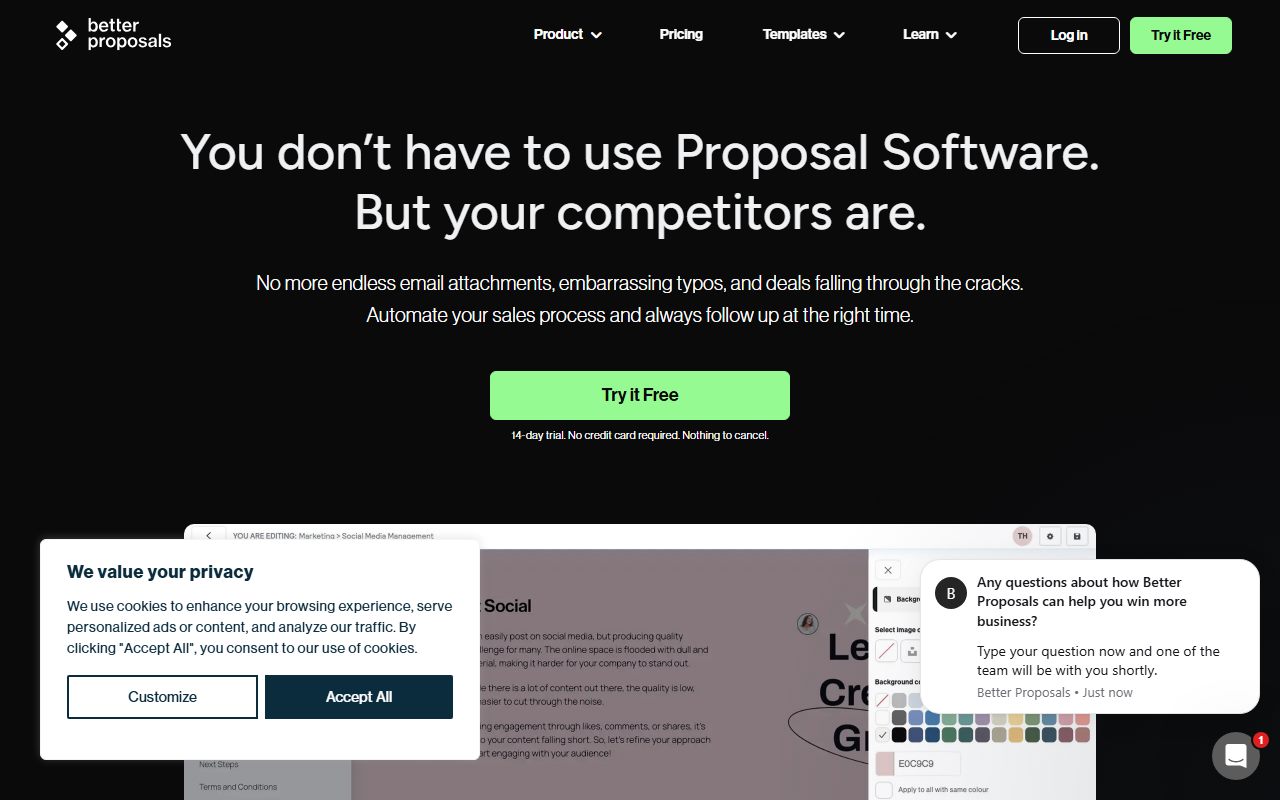
It is a document sender with a signature and a card reader bolted on. You build a proposal from a template, send it as a web page rather than a PDF, and the client reads it, signs it and can pay from inside it.
The page lists Stripe, GoCardless and PayPal as the payment integrations, so the accept button can collect a deposit at the moment the client says yes.
That is the pitch that separates a proposal tool from a signature tool. On SignWell or Dropbox Sign you send a contract and chase the invoice afterwards. Here the two events are one event.
The document types are not limited to proposals. The site menu lists quotes, contracts, client sign-offs, online brochures, statements of work and job offers, all from the same editor.
The entry plan is the only one of the three sized for one person
That is the strongest fact on the page. The comparison table has a row called Maximum user seats, and the Starter column prints 1.
Most software priced per seat hides a seat minimum and lets you discover it at checkout. Qwilr prints minimums of five and ten on its two upper plans. Proposify prints a platform fee that includes ten users on its top plan.
Better Proposals instead prints a plan that cannot grow. Premium and Enterprise both read Unlimited in the same row, so the jump from one seat to any number of seats is $21 a user a month on the annual rate.
For a freelancer with no staff, a plan that refuses to sell you a second seat is a feature, not a limit. It is one fewer number to misread.
What the $13 step actually includes
More than the price suggests, because the page front-loads the features. A block titled Included on every plan lists every feature of the editor, unlimited saved templates and full brand customisation.
The same block adds the content library with no limits, any document type, open tracking, live notifications, payments and legally binding signatures.
The Starter card itself repeats five of those as core features: signatures, interactive pricing tables, payment integrations, the content library, and notifications with analytics.
The effect is that the ladder is not about capability. It is about seats, sends and branding.
Two items on the main feature list are worth a freelancer's attention. Interactive pricing tables let the client choose optional line items, with totals calculated for them. Document expiry dates close a quote automatically after a set number of days.
The meter is sends, and ten a month is the real ceiling
This is the number that decides the purchase. The row called Monthly Send Limit prints 10 for Starter, 50 for Premium and Unlimited for Enterprise.
By the editors' arithmetic, Starter is 120 documents a year. That fits a consultant who writes a proposal a fortnight. It does not fit a designer quoting three small jobs a week.
The page does not describe drafting as metered, and the editor row in the comparison table lists no document cap. So the limit falls on the act of sending, not on the act of writing.
Nothing on the page says what happens at the eleventh send. Proposify, by contrast, prints an overage rate for every tier. Here the page is silent on that, so plan to upgrade rather than to overspill.
How the pricing is structured, and where the annual label overstates
Four cards, two billing periods, and one card that should be ignored.
The comparison table prints both figures per tier in a single cell. Starter reads $13 a month annually and $19 a month monthly. Premium reads $21 and $29. Enterprise reads $42 and $49.
The toggle above the cards is labelled Pay Annually, save up to 35 percent. The printed pairs do not reach that. Starter is 31.6 percent cheaper on the annual rate, Premium 27.6 percent and Enterprise 14.3 percent, by the editors' arithmetic.
So the saving is real and the headline is generous. A reader budgeting at 35 percent off would expect Starter to cost $148 a year, and it costs $156. On Enterprise the gap widens to $382 expected against $504 charged.
The word up to does the work in that sentence. It is worth noticing which plan it points at, which is none of them.
The Elite card prints a figure we will not call a price
The fourth card is described as everything done for you, with ongoing consulting and design, paid on invoice, minimum ten users.
On the annual toggle it prints 10,000 against a unit that reads per user, per month. On the monthly toggle the figure in the markup is 100. Those two values are a hundredfold apart for one plan.
One of them is wrong, or the unit label is wrong, and the page does not resolve it. We therefore print no Elite price here and would not plan a budget from that card.
If a done-for-you service is what you want, the honest move is to ask for the quote the card already tells you to ask for. The card does say pay on invoice, which usually means the number is negotiated anyway.
Support is promised twice, in two different amounts
The page makes the strongest support claim of the three tools in this cluster, and then contradicts it one scroll down.
The included-on-every-plan block reads: a two minute response time from a human, 24 hours a day. The pricing FAQ repeats it, saying questions can be answered in as little as two minutes, 24 hours a day.
The support section of the comparison table then prints a row called Live Chat, 20 hours a day.
Twenty hours is still generous for a tool at this price, and the vendor keeps a page called Human-only Support in its footer.
But a promise that appears as both 24 and 20 on one page is a promise to verify in the trial, not to buy on.
One more support row is worth reading before you count on it. The personalised onboarding call is marked available to accounts with three or more users, which no Starter account can be.
Two more places the page argues with itself
Both are small, and both would mislead a reader who skims.
The FAQ answer about custom plans says every plan allows you to add as many users as you need. The comparison table says Starter is capped at one seat. Those cannot both be true, and the table is the more specific document.
The branding answer is clearer but easy to miss. Premium and Enterprise can remove the vendor's logo. Keep the logo, the FAQ adds, and you earn a commission when a recipient signs up for Better Proposals.
That second half is unusual and worth saying plainly. The cheapest plan sends your client a document that advertises your supplier, and the vendor offers to pay you for it.
Our reading of the same habit in other price lists is collected in what a tool costs besides its price.
The paid extras are priced, which is more than most pages manage
Two of them, both printed in dollars rather than hidden behind a form.
Nudge, the follow-up tool, is $10 per user per month. On Starter that is a 77 percent increase on the $13 base, by the editors' arithmetic, for a feature the page describes as a nice to have.
Custom template design starts at $1,495, with a note calling that the minimum and most common price, warning that unusually long templates may cost more, and promising a quote first.
A freelancer should treat both as optional for a long time. The follow-up problem can be solved with a calendar reminder, and the design problem with one of the free templates the page already includes.
What the page claims about reputation, and why that is not evidence
Three claims, none of which we can stand behind.
The page says it is trusted by 10,000-plus brands, small businesses and freelancers. It also shows a star image whose alt text reads 4.8 stars on Capterra. Nine named testimonials follow, each with a first name and a job title.
We did not open Capterra or G2 to check the rating. Both profiles were requested on October 25, 2026 and both returned a bot wall rather than a page, so there is no second reading to compare.
So treat the 4.8 as the vendor reprinting someone else's score. It may well be accurate. It is not something this review verified, and the testimonials are selected by the seller.
Alternatives worth reading the price list of
Three, in the order a freelancer is likely to need them.
PandaDoc is the one with a genuine free tier, five documents a month at no cost, and it doubles as a signature tool. Its place against the dedicated signature services is in the e-signature guide.
Bonsai bundles proposals with contracts, invoicing and time tracking in one subscription. If you are already paying for FreshBooks and a proposal tool separately, that arithmetic is worth redoing.
If what you actually send is a contract rather than a quote, a signature service is cheaper. SignWell against Dropbox Sign works both of those price lists through, and the invoicing guide covers getting paid afterwards.
Bottom line
The cheapest honest entry price of the three, with the fewest moving parts.
$13 per user per month on the annual rate buys one seat, ten sends a month, signatures, card payments and tracking. No seat minimum to trip over, no per-document meter, no quote form.
What you accept in exchange is a vendor badge on your proposals until you reach $21 a month, a send ceiling that a busy quarter will hit, and a page that contradicts itself on support hours, on seat limits and on one plan's entire price.
For a freelancer sending under ten proposals a month, that trade is a good one. Take the 14 days first, and in that time ask support a question at three in the morning to see which of the two printed hour counts is real.
Sources
Better Proposals pricing page, including the four plan cards, the monthly and annual values held in the toggle markup, the full plan comparison table, the included-on-every-plan block, the two paid extras and the pricing FAQ. Read from the rendered page on October 25, 2026.
Template count taken from the site navigation on the same date. Capterra and G2 profiles for the product were requested on the same date and returned no readable page.
All arithmetic described as the editors' is ours, computed from figures printed on that page. No account was opened.
Buy it if
- You send ten proposals a month or fewer and want the whole bill to be one seat at $13 a month on the annual rate.
- You want signatures and card payments at the bottom step, not three tiers up, so the client can accept and pay in the document.
- You are happy to trial before paying anything, because the only free route here is 14 days with no card.
- Your clients will not mind a vendor badge on the proposal, or you will pay $21 a month for Premium to remove it.
Skip it if
- You send more than fifty documents a month, because only Enterprise at $42 a seat annually prints Unlimited sends.
- You need a white-label proposal on day one, since the FAQ puts badge removal on Premium and above.
- You want a free tier rather than a trial. For that, read the five-documents-a-month free plan on PandaDoc.
Frequently asked
How much does Better Proposals cost for one person?
Starter is $13 per user per month billed annually, or $19 billed monthly, per the comparison table read October 25, 2026. Editorial arithmetic: $156 a year on the annual rate against $228 on the monthly one.
Does Better Proposals have a free plan?
No free plan appears on the pricing page as read on October 25, 2026. The free route is a 14-day trial with no credit card required, described in the header and repeated in the closing block.
How many proposals can I send on the cheapest plan?
Ten a month. The monthly send limit row prints 10 for Starter, 50 for Premium and Unlimited for Enterprise, read October 25, 2026. Drafting is not described as metered anywhere on the page.
Are e-signatures included at the entry price?
Yes. Legally binding digital signatures appear in the included-on-every-plan block, with a note that they comply with EU and US electronic signature legislation, read October 25, 2026.
Can I remove the Better Proposals logo from my proposals?
Only from Premium up, at $21 per user per month billed annually. The pricing FAQ says Premium and Enterprise allow branding removal, and that keeping the badge earns a commission when recipients sign up.
Is the annual plan really 35 percent cheaper?
Not on any printed pair. Comparing the two figures in each cell gives 31.6 percent on Starter, 27.6 percent on Premium and 14.3 percent on Enterprise, by the editors' arithmetic on October 25, 2026.
Sources
- Better Proposals pricing page, plan cards and comparison table - checked October 25, 2026
- Better Proposals pricing FAQ (branding, plan changes, security) - checked October 25, 2026
- Better Proposals template library count, site navigation - checked October 25, 2026
Visit Better Proposals
We have no affiliate relationship with this vendor. Link goes to the official site.