 My

Proposify
Strong security paperwork, business-hours support, and two different sets of plan names on one pricing page
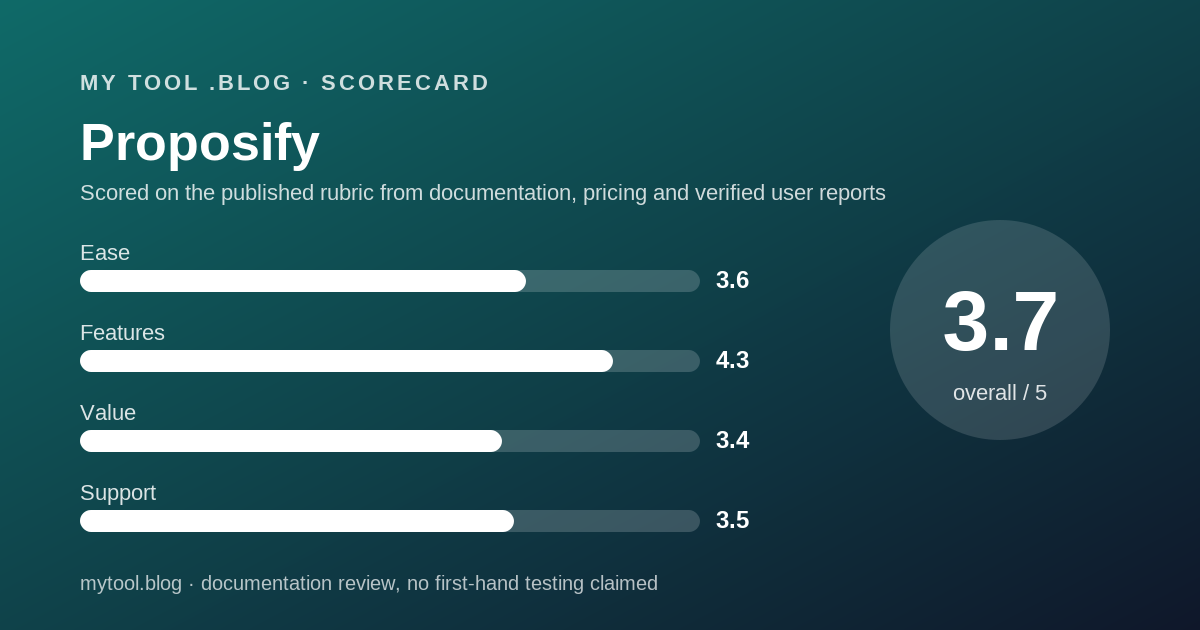
Scored on the published rubric, from documentation, pricing and verified user reports.
Best for: A small consulting firm that needs approval workflows and a SOC 2 report, and that will never read the pricing page twice.
Verdict
What this review is based on: the vendor's published pricing page, its plan cards, its send-limit table, its full feature comparison table, its security block and its pricing FAQ, read from the rendered page on October 25, 2026. No account was opened, free or paid. That is the documentation review label on this blog, the third of the three honest positions.
Proposify is the most grown-up of the three proposal tools read for this cluster, and the hardest to buy. Build is $39 per user per month billed annually, printed as $468 per user per year, or $49 billed monthly.
The arithmetic on that pair checks out. Much of the rest of the page does not agree with itself.
The plan cards say Build, Grow and Scale. The send-limit table underneath says Basic, Team, Business and Enterprise. The FAQ sides with the table, naming a Team plan and a Business plan. Two vocabularies, one page.
What is genuinely better here than at the cheaper rivals is the security disclosure and the approval workflow. What is worse is the support window and the clarity.
Visit Proposify
We have no affiliate relationship with this vendor. Link goes to the official site.
Where it is strong
- **The security block is the most specific of the three.** It names SOC 2 Type 2 against the AICPA Trust Services Criteria, GDPR compliance, Stripe at PCI Service Provider Level 1, 256-bit SSL and 24/7 monitoring (security block, October 25, 2026).
- **The annual price is printed as a yearly total, not just a monthly rate.** Build reads $468 per user per year and $39 per user per month, and 39 times 12 is 468, by the editors' arithmetic (pricing page, October 25, 2026).
- **Unused sends roll over.** The FAQ states that the monthly allowance accumulates if you do not use it, which neither of the other two pages in this cluster states (pricing FAQ, October 25, 2026).
- **Overage is priced rather than hidden.** The send table prints a per-send rate for every named tier, so a busy month has a knowable cost instead of a forced upgrade (send-limit table, October 25, 2026).
- **Approval workflows arrive at a real tier, not at quote-only.** The Grow column at $65 per user per month lists user roles, approval conditions on price and discount, custom fields and API access (feature table, October 25, 2026).
Where it falls short
- **The page uses two sets of plan names.** Cards read Build, Grow and Scale; the send table reads Basic, Team, Business and Enterprise; the FAQ names a Team plan and a Business plan. Nothing maps one set to the other.
- **No free plan, despite the header.** The page says get started for free, no credit card needed. The only free route printed anywhere is a 14-day trial (pricing page and pricing FAQ, October 25, 2026).
- **Support closes for the weekend.** The published hours are Monday to Thursday 8am to 8pm Eastern, and Friday 8am to 4pm Eastern, which is 56 hours a week by the editors' arithmetic, with no cover Saturday or Sunday.
- **No refunds once a payment has gone through.** The cancellation answer says you keep access until the period ends and that refunds are not offered after processing (pricing FAQ, October 25, 2026).
- **The overage rates do not rise in order.** The send table prints 50 cents a send on Basic, 30 cents on Team and 75 cents on Business, so the middle tier is the cheapest place to overspill.
At a glance
| Starting price | $39 per user per month billed annually ($468 per user per year), $49 monthly |
|---|---|
| Pricing note | From $39 per user per month billed annually, printed as $468 per user per year, or $49 monthly (pricing page, checked October 25, 2026) |
| Free plan | None printed; 14-day trial on the plan the FAQ calls Team, no card |
| Quarterly option | $147 per user per quarter, printed on the Build card |
| Monthly send limits | 10, 30 and 75 by named tier, with overage at $0.50, $0.30 and $0.75 a send |
| Collaborators included | 1, 3 and 5 by tier |
| Support hours | Mon to Thu 8am to 8pm Eastern; Fri 8am to 4pm Eastern |
| Security attestations | SOC 2 Type 2, GDPR, PCI via Stripe, 256-bit SSL |
What this review is based on, and what it cannot tell you
One page, read in a browser engine rather than fetched as text, on October 25, 2026. The prices here are drawn after load, so a plain machine read returns a pricing page with no prices on it.
From that read we have three plan cards with both billing toggles, a send-limit table, a long feature comparison table, a block of security attestations and eleven FAQ answers.
What we do not have is any sense of the editor or the support queue. No account was opened and no ticket was filed, so nothing here describes using the product.
That is the same method used for the e-signature cluster on this blog. A price list is a document. It can be quoted, checked for arithmetic and checked against itself.
What Proposify is
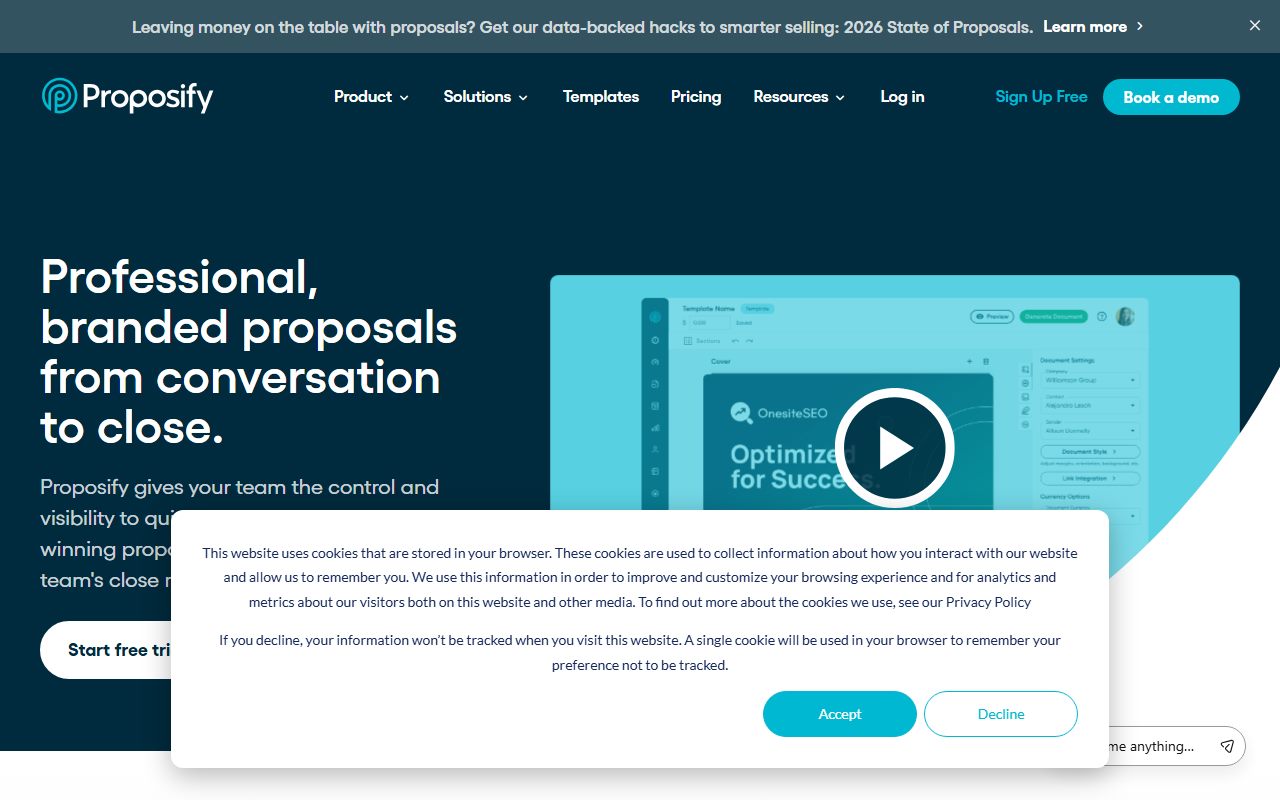
It is proposal software built for a sales team that has a manager. The editor is drag and drop, the output is a tracked document, and the differentiator on the page is control over what leaves the building.
The feature table lists approval workflows with conditions on price total, discount percentage and line-item discount percentage. It lists custom roles and permissions, page-level and element-level locking, and multi-workspace support for franchises.
None of that is written for one person. A freelancer approves their own proposals.
What a freelancer can use is the other half: a content library of reusable sections, a product catalogue of saved pricing, interactive quoting where the buyer picks optional fees, and document analytics down to time spent per section.
The entry price, and the one piece of arithmetic that checks out
Build is the plan a freelancer would buy. The card prints $49 per user per month on the monthly toggle and $39 on the annual one.
Underneath, in smaller type, it prints $147 per user per quarter and $468 per user per year. The compare-plans strip repeats $468 per user per year.
Thirty-nine times twelve is 468. That pair is internally consistent, which is more than can be said for the labels around it.
The quarterly figure is the trap. $147 is three months at the $49 monthly rate, so four quarters cost $588. Paying quarterly instead of annually costs $120 more a year, by the editors' arithmetic.
The annual toggle is labelled three months free, and it is not
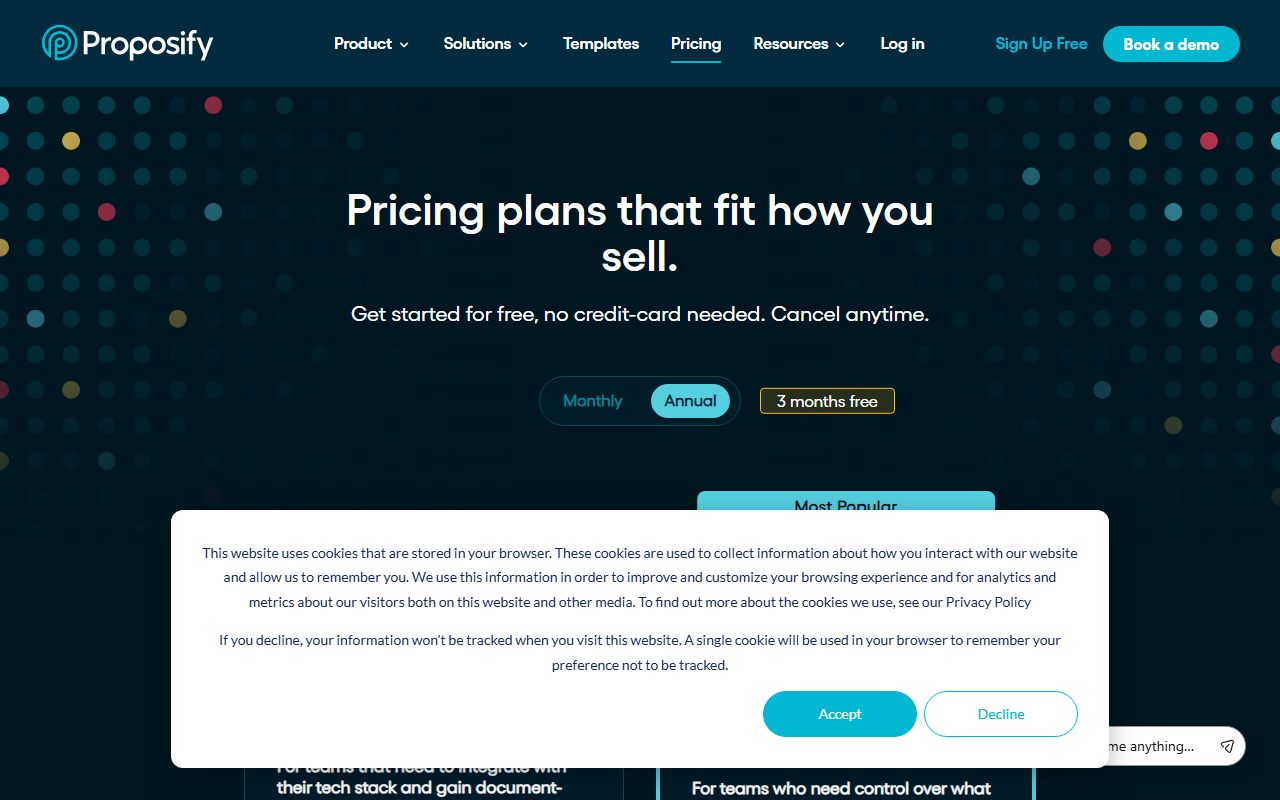
The toggle above the cards reads Monthly, Annual, three months free. The Build card repeats the phrase next to $468 per user per year.
Three months free off a twelve-month list price means paying nine months, which at $49 is $441. The printed annual price is $468.
Against the monthly rate of $588 a year, the annual plan saves $120, or 20.4 percent, by the editors' arithmetic. Three months free would be 25 percent.
The gap is $27 a year on one seat. Small, but it is the sort of label a reader budgets from, and the page gives you both numbers to check it with. We prefer the printed total to the slogan.
The second meter is sends, and it is cheaper than anyone else's
The page is unusually clear about the principle and unusually confusing about the names.
The principle: drafting, editing and collaborating on documents is always unlimited, and a send is only counted when you share a proposal with a client.
The allowances are 10, 30 and 75 documents a month, with overage at 50 cents, 30 cents and 75 cents a send. The FAQ adds the part that matters most, which is that unused sends accumulate month to month.
That is a better deal than a hard ceiling. On Better Proposals the Starter plan stops at ten sends a month and the page prints no overage rate at all. Here a quiet February pays for a loud March.
One oddity is worth pricing in. The overage rate on the largest named tier, 75 cents, is more than double the rate on the middle one.
Two sets of plan names on one page
This is the single biggest problem with buying from this page, and it is not a pricing problem. It is a naming problem.
The three cards read Build, Grow and Scale. The send-limit table immediately below reads Basic, Team, Business and Enterprise. The FAQ answers mention a Team plan and a Business plan.
So a reader who wants to know how many sends come with Build has to guess which row of the send table applies. Nothing on the page maps the two sets of names.
Our reading is that the send table is older copy that survived a rename, because the card list has three tiers and the table has four. But that is a guess, and a guess is not a figure we will print as fact.
If you buy here, confirm the send allowance in writing before the card is charged.
Get started for free, with no free plan
The subheading under the page title says get started for free, no credit card needed, cancel anytime.
Nothing on the page is free. There is no zero-dollar card, no free row in the feature table, and the FAQ describes only a trial.
That trial is reasonable. Fourteen days with access to every feature on what the FAQ calls the Team plan, no card required, and you may send real proposals to real clients during it.
The detail that makes it usable is in the same answer. Documents sent during the trial can still be viewed and accepted by clients after the trial ends, so a deal signed on day thirteen does not evaporate on day fifteen.
If a genuine free tier is the requirement, it is PandaDoc at five documents a month, not this.
What the ladder actually buys, tier by tier
Three steps, and the gaps are about governance rather than output.
Build at $39 a seat annually covers the editor, e-signatures, AI writing with an MCP server, interactive quoting, the content library, custom fields, the product catalogue, document notifications and analytics. One collaborator seat is included.
Grow at $65 a seat adds roles and permissions, approval workflows, account-wide metrics and API access, with three collaborators. Extra users are billed at $780 a year, which is $65 times twelve.
Scale is $107 a seat with a platform fee of $12,800 a year that includes ten users, and extra users at $780 a year.
Divide 12,800 by ten and you get $1,280 a user a year, or $106.67 a month, which rounds to the printed $107.
Both of those checks pass. The upper two tiers are quote-and-demo plans in practice, since both cards offer only a demo booking.
The security disclosure is the best reason a freelancer might pay more
It is the one section of this page that beats both cheaper rivals outright.
The block names SOC 2 Type 2 certification and says the audit was against the AICPA Trust Services Criteria for Security, Availability and Confidentiality. It names GDPR compliance with controller preferences. It says payments run through Stripe at PCI Service Provider Level 1.
The FAQ adds 256-bit SSL, Amazon cloud hosting and 24/7 system monitoring.
That matters in one specific situation. If you sell to an enterprise procurement team, a named attestation in writing can be the difference between winning a contract and filling in a questionnaire for three weeks.
For everyone else it is paperwork you will never be asked for. Price it honestly: it is worth about nothing to a freelancer invoicing small businesses, and a great deal to one bidding on a bank.
Support is competent and closed at the weekend
The hours are printed twice, in the feature table and in the FAQ, and both say the same thing.
Monday to Thursday, 8am to 8pm Eastern. Friday, 8am to 4pm Eastern. By the editors' arithmetic that is 48 plus 8, so 56 hours a week of cover, five days out of seven.
Email and chat are listed, with phone and Zoom as separate rows. A dedicated success manager and priority support appear on the upper tiers, and priority support is also bundled for 30 days inside the $2,000 launch kit.
That consistency is worth something. Compare it with Better Proposals, whose page promises a human 24 hours a day in one block and 20 hours a day in another.
Proposify promises less and prints it twice. A freelancer whose proposals go out on a Sunday night should still notice that nobody is there.
The paid add-ons are real money
Three of them are printed, and they are not small against a $468 subscription.
Custom template design is $1,500, noted on the Build card. The launch kit, which bundles onboarding, one custom template and 30 days of priority support, is a $2,000 one-time fee.
Premium integrations are marked as an add-on purchase, named as the Salesforce managed package and Aspire, with no price printed.
A freelancer should treat all three as out of scope. The template library is described as fully customisable and the FAQ says you can paste from Google Docs or Word, which is the free route to the same place.
The habit of pricing the subscription cheaply and the setup expensively is covered in what a tool costs besides its price.
What the page claims about reputation, and why that is not evidence
Three testimonials, each with a first name, a surname initial and a job title. One says proposals that used to take two hours now take about fifteen minutes.
That is a customer's number, selected by the seller, with no method behind it. We do not repeat it as a finding.
No aggregate rating is printed anywhere on the pricing page, which is to the vendor's credit.
The G2 and Capterra profiles for the product were requested on October 25, 2026 and returned a bot wall rather than a page, so there is no independent score to compare.
The practical consequence is that this review grades the documents and nothing else. If you want evidence of how it feels to use, the 14-day trial is the only honest source available.
Alternatives worth reading the price list of
Three, by what they solve.
Better Proposals is the cheaper one-person plan, at $13 a seat a month annually with a one-seat cap and a ten-send ceiling. It is the first place to look if the governance features here mean nothing to you.
PandaDoc has the free tier and doubles as a signature service, and sits in the e-signature guide alongside SignWell.
Bonsai replaces the proposal tool, the contract tool and the invoice tool with one subscription. If you already pay for FreshBooks and would add a proposal tool on top, run that total first.
Bottom line
The best-documented of the three, and the one that costs most to understand.
$468 per user per year buys a good editor, interactive quoting, a content library, analytics, rolling send allowances and the clearest security statement in the category. That last item is the reason to choose it.
Against that, the page prints two different sets of plan names, invites you to start free when nothing is free, labels the annual plan three months free when the printed numbers give 20.4 percent, and shuts support on Friday afternoon.
For a freelancer selling to enterprise procurement, pay it and get the attestation in writing. For a freelancer quoting small businesses, the same money buys three years of the cheapest plan in this cluster.
Take the fourteen days, and get the send allowance for your actual plan confirmed by email before the first charge.
Sources
Proposify pricing page, including the three plan cards with both billing toggles, the send-limit table, the compare-plans strip, the full feature comparison table, the security block and the pricing FAQ. Read from the rendered page on October 25, 2026.
G2 and Capterra profiles for the product were requested the same day and returned no readable page.
All arithmetic described as the editors' is ours, computed from figures printed on that page. No account was opened, free or paid.
Buy it if
- A client or a tender asks for a SOC 2 report, because this is the only one of the three whose pricing page names the attestation and the criteria it was audited against.
- Your proposals need approving before they go out, which is the Grow feature set at $65 per user per month on annual billing.
- Your sending is lumpy rather than steady, since this is the only one of the three whose page says unused monthly sends accumulate.
- You want the yearly total printed before you commit, because this is the only one of the three whose card shows the monthly rate and the per-year figure together.
Skip it if
- You are one person watching the cost, because $468 a year is the second-highest entry price in this cluster, against $156 at Better Proposals.
- You work weekends and need help then, since published support hours end Friday afternoon Eastern.
- You want a free tier rather than a trial. For that, read the five-documents-a-month free plan on PandaDoc.
Frequently asked
How much does Proposify cost for one person?
Build is $39 per user per month billed annually, printed on the same card as $468 per user per year, or $49 billed monthly, read October 25, 2026. A quarterly option is printed at $147 per user per quarter.
Does Proposify have a free plan?
Not on the pricing page read October 25, 2026. The header invites you to get started for free, but the only free route described anywhere on the page is a 14-day trial with no card.
What happens when I hit the send limit?
You pay per extra send. The table prints 50 cents on Basic, 30 cents on Team and 75 cents on Business, and the FAQ adds that unused monthly sends roll over and accumulate.
Is the quarterly plan a good deal?
No. $147 a quarter is four payments of $147, which is $588 a year by the editors' arithmetic, against $468 on the annual plan. The quarterly rate matches the monthly rate exactly.
What are Proposify's support hours?
Monday to Thursday, 8am to 8pm Eastern, and Friday 8am to 4pm Eastern, printed twice on the page. That is 56 hours a week by the editors' arithmetic. No weekend cover is mentioned at any price.
Does Proposify give refunds?
No. The cancellation answer read October 25, 2026 says you can cancel at any point to stop renewal and keep access until the period ends, but that refunds are not offered once payment has been processed.
Sources
- Proposify pricing page, plan cards, send-limit table and feature comparison - checked October 25, 2026
- Proposify pricing FAQ (trial, send limits, refunds, support hours) - checked October 25, 2026
- Proposify security disclosures printed on the pricing page - checked October 25, 2026
Visit Proposify
We have no affiliate relationship with this vendor. Link goes to the official site.