 My

Clockify
The cheapest paid ladder of the trackers in this cluster, and a free plan that tracks everything then hands you a PDF
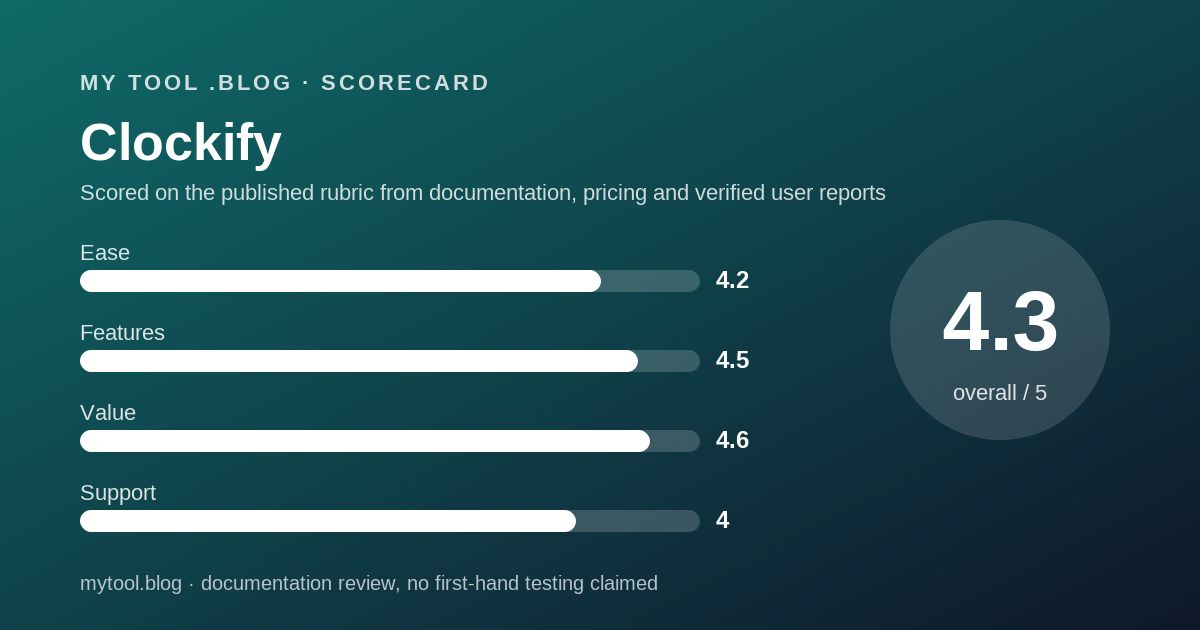
Scored on the published rubric, from documentation, pricing and verified user reports.
Best for: A freelancer who wants a timer and a weekly timesheet at $0, and who can live without billable rates until a client asks what the hours cost.
Verdict
What this review is based on: the vendor's published pricing page, its 83-row feature comparison table and its pricing FAQ, read from the rendered page on October 22, 2026. No account was opened, free or paid. On this blog that is the documentation review label, the third of the three honest positions, and it is the weakest of the three.
Clockify prints the cheapest paid ladder of any tracker read for this cluster. Basic is US$3.99 per seat per month billed annually. The free plan carries unlimited projects, unlimited tracking and a timesheet, and the table lists 24/7 email, chat and phone support on every plan including the free one.
The catch sits in one cell. In the free column, the row for exporting and sharing tracked data reads PDF only, and the reporting range row reads up to 1 month. You can track for ever and you cannot carry a spreadsheet of it out.
That is the shape of the product. Tracking is free; every step that turns tracked time into an amount of money is a paid row. Billable rates begin at Basic. Invoicing begins at Standard.
Visit Clockify
We have no affiliate relationship with this vendor. Link goes to the official site.
Where it is strong
- **US$3.99 per seat per month billed annually is the lowest first paid step** in this cluster, against US$9 for both of the other two trackers whose price lists were read on the same day (pricing page, October 22, 2026).
- **The free plan does not cap projects.** The comparison table marks unlimited projects, unlimited tracking, timesheet, calendar, the apps and the auto tracker as included on Free (feature table, October 22, 2026).
- **24/7 support by email, chat and phone is marked on every column**, Free included, and the FAQ repeats it: support goes to everyone regardless of plan (feature table and pricing FAQ, October 22, 2026).
- **Project data does export to CSV and Excel on the free plan**, per the project export row, even though report exports there are PDF only (feature table, October 22, 2026).
- **The paid ladder has five rungs**, so the first step off free costs US$3.99 rather than the single US$9 step the other two trackers offer (pricing page, October 22, 2026).
Where it falls short
- **On Free, exporting and sharing tracked time is PDF only**, and the reporting range row reads up to 1 month. Those are the two rows that matter most if the point of tracking is to bill (feature table, October 22, 2026).
- **Billable rates are not on the free plan.** They start at Basic, so the cheapest way to see what your hours are worth is US$3.99 per seat per month annually (feature table, October 22, 2026).
- **The page prints two different free-plan head counts.** The plan card and the table say up to 5 users; the FAQ says you can invite up to 4 people. Those reconcile only if the owner is one of the five, which the page never says.
- **No refunds.** The FAQ states it plainly, with an exception only for charges the vendor calls a system error (pricing FAQ, October 22, 2026).
- **The newest customer quote on the page is a year old**, stamped October 8, 2025, and the 4.8 rating from 9,000-plus reviews is the vendor reprinting Capterra, not a figure we opened Capterra to check.
At a glance
| Starting price | $0 (Free), then US$3.99 per seat per month billed annually |
|---|---|
| Pricing note | Free for up to 5 users; Basic US$3.99 per seat per month billed annually or US$4.99 monthly, Standard US$5.49 or US$6.99, Pro US$7.99 or US$9.99, Enterprise US$11.99 or US$14.99 (pricing page, checked October 22, 2026) |
| Free plan | Up to 5 users per the card and table, up to 4 invitees per the FAQ; unlimited projects and unlimited tracking |
| Free plan reporting | Export and share is PDF only; reporting range up to 1 month; API 30 requests per hour; up to 3 webhooks; public projects only |
| Billable rates from | Basic, US$3.99 per seat per month annually |
| Invoicing from | Standard, US$5.49 per seat per month annually |
| Trial | 7 days of all Pro features, no credit card required |
| Annual discount | 20% on Basic, Pro and Enterprise; 21.5% on Standard (our arithmetic from the two printed prices) |
| Refunds | None offered, except charges the vendor describes as a system error |
| Support channels | 24/7 email, chat and phone marked on every plan including Free |
What this review is based on, and what it cannot tell you
Three things were read and nothing else: the Clockify pricing page, the 83-row feature table on it, and the pricing FAQ beneath it. All three were pulled from the rendered page on October 22, 2026.
That means every number below is a number the vendor chose to print. No account was opened, no timer was started, and this review cannot tell you whether the apps are pleasant to live with.
What a reading like this is good at is the thing most people do badly in a hurry: finding the row where a free plan stops being free. On Clockify that row is easy to miss, so it is where this review spends its time.
For the three positions this blog takes on evidence, see what I will and will not claim.
What Clockify is
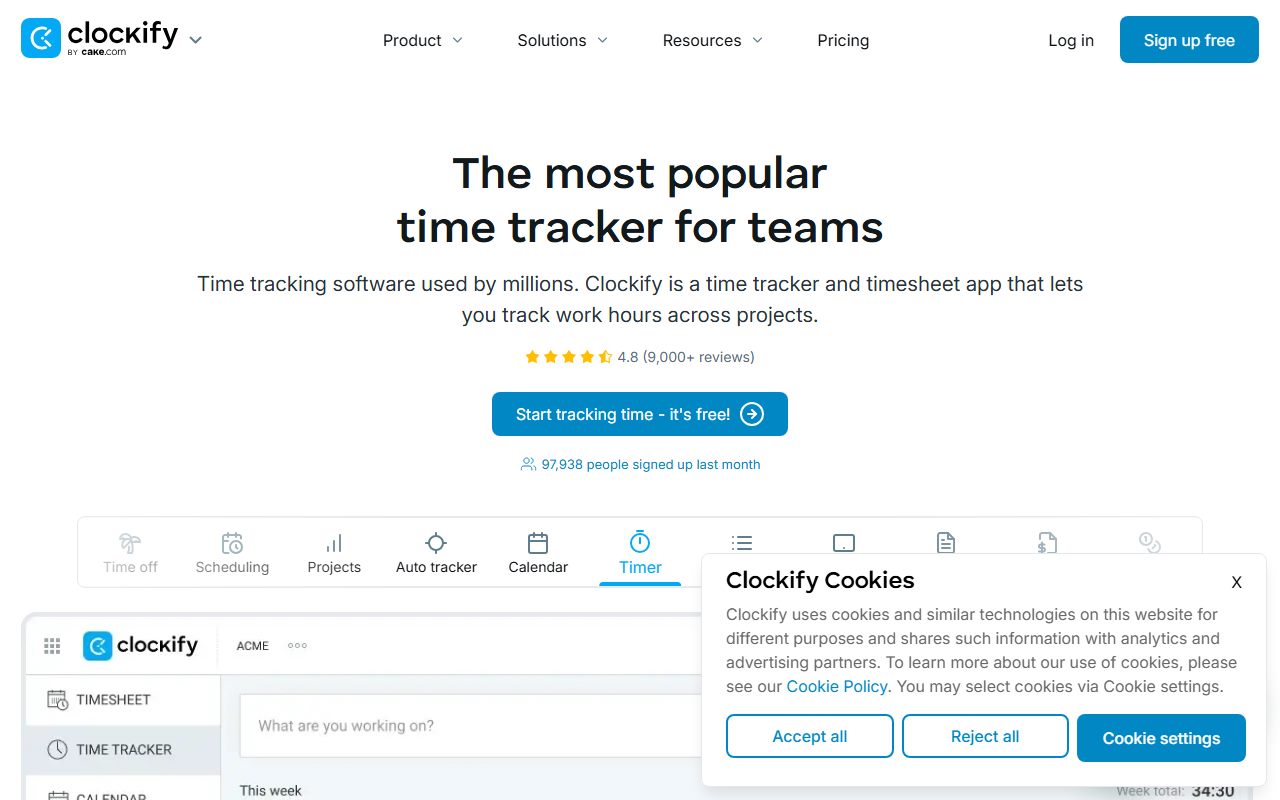
Clockify is a timer with a timesheet, sold per seat, now published under the CAKE.com name alongside sibling products.
The pricing page gives each paid tier a job title rather than a size: Basic is Administration, Standard is Timesheeting & Billing, Pro is Profit & Productivity, Enterprise is Control & Security. That naming is unusually honest about what you are buying at each step.
It also sells a bundle.
The page labels a Productivity Suite at US$12.99 per seat per month annually as BEST VALUE, prints a combined value of US$27.97 per seat per month and claims Save 53%, with a footnote that the bundle excludes data regions for Clockify.
There is a second, cheaper kind of seat as well. Kiosk seats, for people who clock in from a shared device, run US$0.79 to US$2.39 per limited seat per month annually depending on tier.
The free plan is the most generous tracker here, and the stingiest report
Read the free column of the comparison table and two halves appear.
The tracking half is nearly complete. Marked included on Free: unlimited tracking, time tracker, timesheet, calendar, the apps, tracking integrations, the auto tracker, Pomodoro timer, idle detection, team activity, unlimited projects, project import, project status and project export.
The reporting half is where it stops. Exporting and sharing tracked data reads PDF only. The multi-year range row reads up to 1 month, and the reports tooltip repeats it: the data range on the free plan is one month.
Billable rates are blank on Free. So are decimal format, time audit, customised exports, rounding and historical rates. Project access on Free reads public projects, so private projects are a paid row too.
- Free, per the table on October 22, 2026: up to 5 users, unlimited projects, unlimited tracking, timesheet, calendar, apps, auto tracker, reports, project status, project export to CSV and Excel, 24/7 support.
- Not on Free: billable rates, invoicing, approval, rounding, decimal format, time audit, customised exports, private projects, bulk edit, project templates, time off, expenses.
- Capped on Free: export and share is PDF only; reporting range up to 1 month; API 30 requests per hour against 20 per second on paid; up to 3 webhooks.
The two numbers the page gives for the free plan's head count
The plan card says the free plan is for up to 5 users. The comparison table agrees: on the row labelled unlimited users, the free column reads up to 5 users.
The FAQ, lower on the same page, answers differently. Asked whether there are limits in the free plan, it says you can track as much time as you want and invite up to 4 people for free.
Those two can be reconciled. Four invitations plus the person who opened the workspace is five people. But the page never performs that arithmetic for you, and a reader who takes the FAQ at its word will budget for one seat too few.
Both figures are printed here rather than one, because picking one would mean deciding which half of the vendor's page to believe. Check the head count on the checkout screen before committing.
How the pricing is structured
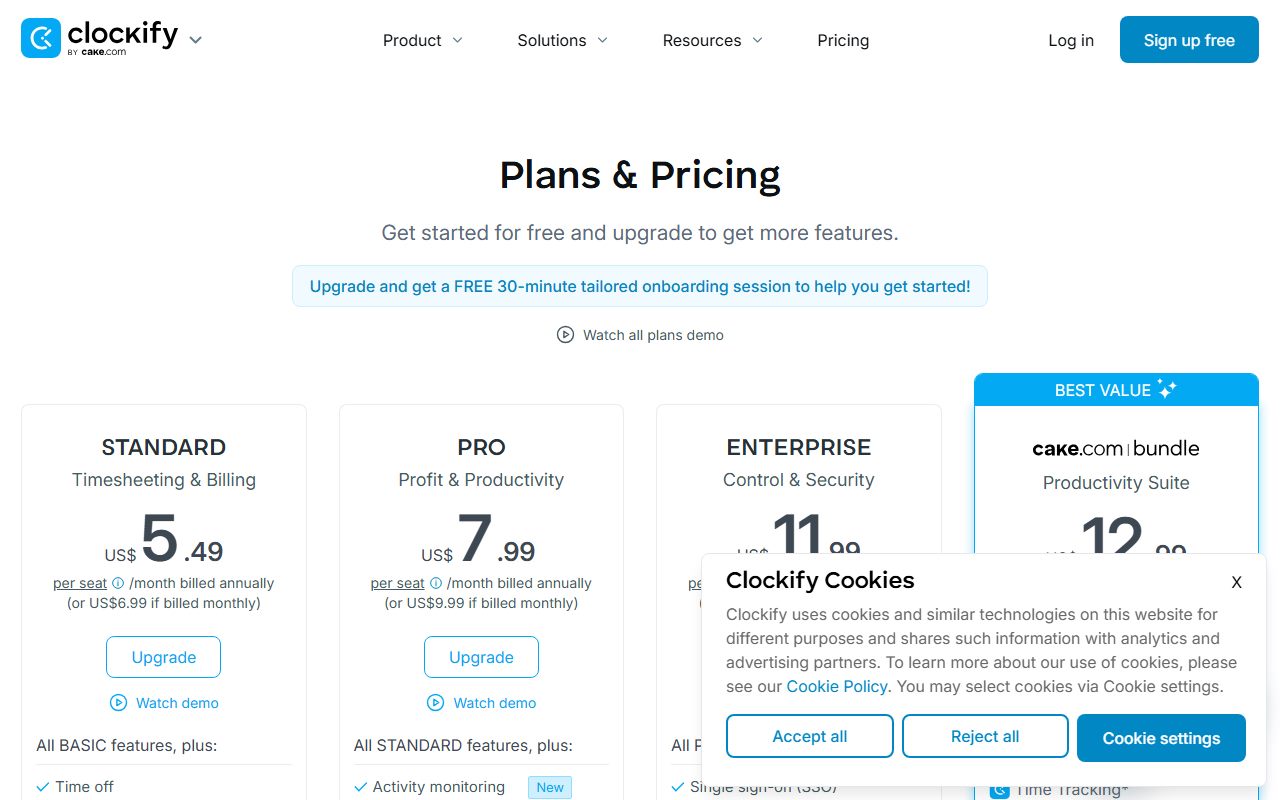
Five tiers, per seat, with a monthly price and an annual price printed side by side on every card.
Basic is US$3.99 per seat per month billed annually, or US$4.99 monthly. Standard is US$5.49 or US$6.99. Pro is US$7.99 or US$9.99. Enterprise is US$11.99 or US$14.99.
The annual discount is a flat 20% on Basic, Pro and Enterprise by our arithmetic. Standard is the odd one out at 21.5% off, a small saving in your favour rather than the usual rounding in theirs.
A seat is defined on the card: every active or invited user on your Team page occupies one, owner and admins included, and deactivating someone frees it. Seats bought mid-cycle are prorated.
All prices are shown before tax, with VAT added at checkout where the vendor is required to collect it.
One more thing the page does, worth knowing if you read it from outside the United States. It says it uses your general location to pick the display currency and lets you switch manually. This reading rendered in US dollars.
Where the ceiling sits for each thing a freelancer actually needs
Treat the ladder as a list of questions rather than a list of features and the answers are short.
To see what an hour is worth, pay Basic. To send the invoice from the same tool, pay Standard. To know whether a project made money, pay Pro, where labour cost, profit, budgets, estimates, alerts and expenses first appear.
To log in with a company identity, pay Enterprise.
Two of those are rungs most freelancers never need. The useful observation is that the first two, the only two that matter to a one-person business, cost US$3.99 and US$5.49 per seat per month annually.
So the real price of Clockify for a solo freelancer who bills hourly and invoices from the timer is about US$65.88 a year by our arithmetic. For what that buys elsewhere, see the invoicing guide.
- Billable rates: Basic, US$3.99 per seat per month annually.
- Invoicing, recurring invoices, approval, manager role, rounding, QuickBooks: Standard, US$5.49.
- Expenses, budgets and estimates, labour cost and profit, alerts, scheduling, email reports: Pro, US$7.99.
- Single sign-on, audit log, SCIM, custom subdomain: Enterprise, US$11.99.
The trial is seven days, the shortest in this cluster
The FAQ says you can try all Pro features free for seven days, no credit card required, and that the trial activates automatically when you sign up. It points you at the sales team for an extension.
Seven days is short for a tool whose value only shows up once a month. Billable rates, budgets and the profit report all answer questions you ask when you invoice, not questions you ask on day two.
By comparison, Harvest prints a 30-day trial that collects no card, and Everhour prints 14 days of all features. On a seven-day window you are testing the timer, not the reporting.
The gentler reading is that the trial matters little, because the free plan is permanent and generous. It is for deciding between paid tiers, not for deciding whether to start.
What the page says about getting your money back, which is nothing good
The FAQ is blunt: refunds are not offered. The single exception is a charge the vendor attributes to a system error, which it says it will refund immediately.
Cancelling is easy and non-destructive. You cancel on the subscription page, the plan runs to the end of the period, you are downgraded to the free version, and the page says you lose no data because cancelling only removes access to the extra features.
So the risk is bounded but real. A year of Standard paid up front is US$65.88 you do not get back if the tool stops suiting you in March.
The cheap defence is to pay monthly for the first few months. US$6.99 against US$5.49 is a 27% premium by our arithmetic, which buys the right to stop. That trade is the subject of how to decide to cancel a tool you pay for.
What the vendor says users think, and why that is not evidence
The pricing page carries a social-proof block reading 4.8 rating, 9,000-plus reviews, 95% customer satisfaction. Elsewhere on the page the same rating is attributed: rated 4.8/5, 9,000-plus Capterra reviews.
That is a vendor reprinting a third party. Capterra was not opened on October 22, 2026, so the figure, the sample and whether it covers the free plan or the paid ones are all unconfirmed here.
The three quotes below it are more interesting for their dates than their content. They are stamped October 8, 2025, November 29, 2024 and December 22, 2024. The newest testimonial on the page is a year old.
That says nothing about the product and something about the page. A pricing page that has not refreshed its quotes in a year is a page whose other claims deserve a date check too, which is why every figure here carries one.
Alternatives worth reading the price list of
Four comparisons are worth making before committing, and only one of them is with another tracker.
- Choose Harvest if you want to invoice from the timer without paying anything. Its free plan lists invoicing; Clockify's does not, and puts it two rungs up at US$5.49. Harvest charges for that in projects instead: one seat, two projects.
- Choose Wave alongside the Clockify free plan if the real need is to send a bill. Wave prints unlimited invoices and bookkeeping at $0 and makes its money on payment fees, so the pair costs nothing and covers both halves.
- Choose Bonsai if you would rather pay once for proposals, contracts and invoices in one chain. Its cheapest tier has invoicing switched off, so compare the tier you would actually need, not the headline.
- Choose FreshBooks if the accounting matters more than the timer, and read the promotional pricing carefully first. If receipts are the problem rather than hours, Expensify is the one to read.
What the page does not tell you
Three gaps are worth naming, and none of them is a complaint about the product.
The page does not say what the free plan's PDF export looks like, or whether a client would accept it as a timesheet. PDF only is a format, not a quality.
It does not say what happens to data beyond one month on the free plan. The range cap is on reporting; unlimited tracking is promised separately.
The likely reading is that the data stays and the report window moves, but the page does not spell that out and this review will not guess on your behalf.
And it does not price the thing most freelancers eventually want, which is a second person for a single month. At US$3.99 a seat the arithmetic is easy, but the FAQ's note that seats cannot be removed before renewal is the part that bites.
The wider version of this problem is in what a tool costs besides its price.
Buy it if, skip it if
The short form, with the condition in bold. Both lists come from the same three documents read on October 22, 2026, and neither is a prediction about how the product feels.
Bottom line
On printed terms Clockify is the best-value tracker in this cluster, and it earns that on the ladder rather than the free plan.
The free plan is excellent at tracking and deliberately poor at reporting: PDF only, one month, no billable rates. Read as a permanent free tool it will disappoint the first time a client asks for a breakdown.
Read instead as a free timer with a US$3.99 upgrade for rates and a US$5.49 upgrade for invoices, it is the cheapest honest answer on this page. About US$65.88 a year buys tracking, rates and invoicing from one tool.
Two things to check yourself before paying: the free plan head count, which the page gives twice and differently, and the no-refunds clause, which makes annual billing a one-way door. The grading method is at editorial policy.
Sources
All three readings are of the same URL on the same day, October 22, 2026, taken from the rendered page rather than a search result.
The plan cards, the 83-row comparison table and the pricing FAQ disagree with each other in one place, and that disagreement is reported above rather than resolved.
Buy it if
- You need a timer and a timesheet and nothing else. At $0 the free plan tracks without limit across unlimited projects, and the apps and auto tracker are marked included.
- You want the smallest possible paid step. US$3.99 per seat per month annually buys billable rates, decimal format, customised exports and private projects.
- You want invoicing in the same tool later. Standard at US$5.49 per seat per month annually lists invoicing, recurring invoices, approval and the QuickBooks integration.
- Support matters more to you than features. 24/7 email, chat and phone is marked on the free column, which no other price list in this cluster promises.
Skip it if
- You need your hours in a spreadsheet without paying. On Free, report export is PDF only and the range stops at one month.
- You bill from the timer and want it free. Invoicing sits two rungs up at Standard; Harvest puts invoicing on its free plan instead.
- You expect to change your mind. The FAQ says there are no refunds, so a year paid up front is a year spent.
Frequently asked
Is Clockify really free?
Yes, with two limits that matter. The pricing page prints $0 for up to 5 users with unlimited tracking and unlimited projects, checked October 22, 2026. But report export on that plan is PDF only and the reporting range stops at one month.
How many people can use the Clockify free plan?
The page gives two answers on October 22, 2026. The plan card and the comparison table both say up to 5 users. The FAQ says you can invite up to 4 people. Read together that is probably you plus four, but the page never says so. Confirm it at checkout.
How much does Clockify cost for one person?
Nothing, if the free plan is enough. If you need billable rates, Basic is US$3.99 per seat per month billed annually, which is US$47.88 a year by our arithmetic. Invoicing starts at Standard, US$5.49 a month annually, or US$65.88 a year.
Can I invoice clients from Clockify?
Only from Standard up, at US$5.49 per seat per month billed annually. The comparison table marks invoicing, recurring invoices and approval as Standard features and leaves the Free and Basic columns blank, checked October 22, 2026.
Does Clockify have a free trial of the paid features?
Seven days of all Pro features, with no credit card required, per the pricing FAQ on October 22, 2026. That is the shortest trial in this cluster: Harvest prints 30 days and Everhour prints 14.
What does a seat mean on a paid Clockify plan?
Every active or invited user listed on your Team page, including the owner, admins, managers and members. Deactivated users free their seat. Buying a seat mid-cycle is charged pro rata, per the pricing page on October 22, 2026.
Can I get a refund if I cancel?
No. The FAQ says refunds are not offered, except where the vendor charged you by what it calls a system error. Cancelling drops you to the free version and the page says you keep your data, checked October 22, 2026.
Is the 4.8 rating on the pricing page trustworthy?
It is the vendor quoting Capterra, not something verified here. The page prints 4.8 from 9,000-plus reviews and 95% customer satisfaction. Capterra itself was not opened on October 22, 2026, so treat it as a vendor claim.
Sources
- Clockify pricing page: plan cards, kiosk pricing and seat definition - checked October 22, 2026
- Clockify pricing page: 83-row Compare features across plans table - checked October 22, 2026
- Clockify pricing FAQ: free plan limits, 7-day trial, refunds, tax, cancellation - checked October 22, 2026
Visit Clockify
We have no affiliate relationship with this vendor. Link goes to the official site.