 My
Harvest vs Clockify: which is free for longer
Documentation comparison, not a bake-off. Both pricing pages, both feature tables and both pricing FAQs were read from the rendered pages on October 22, 2026, and no account was opened on either service. This is the third of the three honest positions on this blog. The two tools answer the same question with opposite generosity. Harvest's free plan will send an invoice and stops at two projects. Clockify's free plan takes unlimited projects and will not send an invoice until you pay US$5.49 per seat per month. So the decision is not about features. It is about which limit you will hit first, and there is a clean number that decides it: how many client projects you run at once.
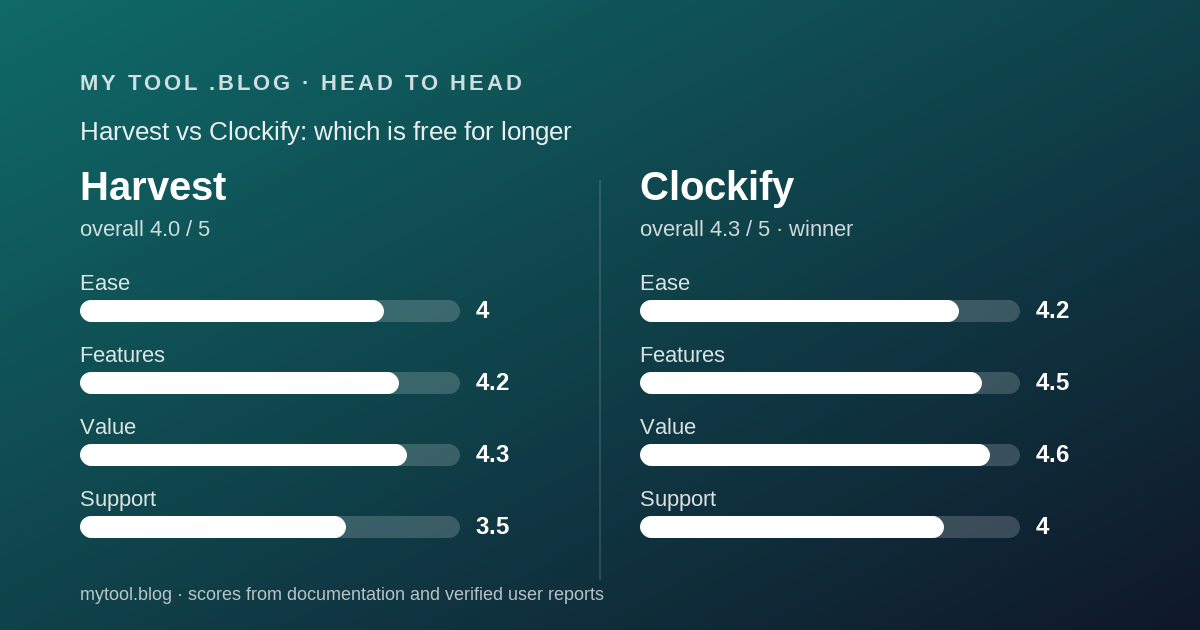
 4.0Harvest
 4.3Clockify
Specification by specification
| Spec | Harvest | Clockify |
|---|---|---|
| Free plan price | $0, described on the card as forever | US$0 |
| Free plan seats | 1 seat | Up to 5 users on the card and table; up to 4 invitees per the FAQ |
| Free plan projects | 2 projects | Unlimited |
| Invoicing on the free plan | Yes, listed on the free card | No; begins at Standard, US$5.49 per seat per month annually |
| Billable rates on the free plan | Not listed on the free card | No; begins at Basic, US$3.99 per seat per month annually |
| Report export on the free plan | Not stated on the pricing page | PDF only; project data does export to CSV and Excel |
| Reporting date range on the free plan | Not stated on the pricing page | Up to 1 month |
| Cheapest paid tier | Teams, $9 per seat per month annually, printed as $108 per seat per year | Basic, US$3.99 per seat per month annually |
| Cheapest paid tier, billed monthly | $11 per seat per month | US$4.99 per seat per month |
| Cheapest tier that can invoice | Free | Standard, US$5.49 annually or US$6.99 monthly |
| Next tier up | Enterprise, $14 per seat annually, printed as $168 per seat per year, or $17.50 monthly | Pro US$7.99, then Enterprise US$11.99, both annually |
| Usage-based charges on top of the seat price | Yes. Every paid card says extra invoices, projects, clients and tasks are billed on use. No rates printed | None stated |
| Seat minimum | None stated; Free is 1 seat, paid tiers say unlimited seats | None stated |
| Trial | 30 days, no credit card collected, account deactivated rather than charged if you do not upgrade | 7 days of all Pro features, no credit card required |
| Annual discount: labelled against calculated | Toggle says 20% off. Teams $9 against $11 is 18.2%; Enterprise $14 against $17.50 is exactly 20% (our arithmetic) | Not labelled. 20% on Basic, Pro and Enterprise; 21.5% on Standard (our arithmetic) |
| Refunds | Not addressed in the pricing FAQ | None offered, except charges the vendor calls a system error |
| Changing seat count | Add any time, prorated; cannot remove before renewal | Add any time, prorated; deactivating a user frees the seat |
The short answer
Two lines, then the reasoning behind each of them.
- Harvest is best for a freelancer with one or two live client engagements who wants to bill from the timer and pay nothing. Its free plan includes invoicing and expense tracking at $0, and it is the only free plan in this cluster that does.
- Clockify is best for everyone with a third project. Unlimited projects at $0, billable rates for US$3.99 per seat per month annually, invoicing for US$5.49, and no usage-based charges anywhere on the page.
- Neither was used by anyone here. Both verdicts come from pricing pages, feature tables and pricing FAQs read on October 22, 2026, not from running a timer or sending an invoice.
Harvest is free if you have two projects; Clockify is free if you have twenty
This is the whole comparison in one row of the table, so it goes first.
Harvest's free card prints two limits and they are both counts: 1 seat, 2 projects. Everything else on that card is a feature rather than a cap: time tracking, invoicing, expense tracking, and the Mac and iOS apps.
Clockify's free card prints one limit, up to 5 users, and the comparison table confirms unlimited projects, unlimited tracking and project import on the free column.
For a freelancer, project is the dangerous word. A project is usually one client engagement, not one year of work.
Two of them is a realistic ceiling for a consultant with two retainers and a quick ceiling for anyone doing short pieces of work for several clients.
So the question to answer before reading any further is how many separate things you are billing for at once. At two or fewer, Harvest is free and can invoice, and the comparison is over.
At three, Harvest costs $9 per seat per month annually and Clockify is still $0.
Clockify's cheapest invoicing costs US$5.49; Harvest's costs nothing, then an amount it will not print
Here the generosity reverses, and the reason is a sentence that appears three times on Harvest's page.
Under every paid Harvest card sits this: your base rate includes core features, and as your team grows, additional invoices, projects, clients and tasks are billed based on what you use, so you are never overpaying.
Under the free card sits a shorter version: the usage of some features may require the payment of fees, see our Help Center.
No rates appear anywhere on the pricing page. The invitation is to read the Help Center, and that is where this comparison hits a wall.
On October 22, 2026 the Harvest support site returned HTTP 403 to a direct fetch and served a Cloudflare bot-verification interstitial to a rendered browser request. Two routes, two failures, same day.
So the correct statement is not that Harvest does not publish its usage rates. It is that two attempts to read them failed on October 22, 2026, and that the pricing page itself prints none.
Those are different claims and only the second one is certain.
Clockify's page has no equivalent sentence. Five tiers, a printed price on each, and a seat definition. US$5.49 per seat per month annually buys invoicing, recurring invoices, approval and the QuickBooks integration, and that is the bill.
A knowable bill is worth something. For a freelancer deciding in an afternoon, a price list with no unpriced clause in it is the safer purchase, and that is most of why Clockify takes this comparison.
Both pages label an annual discount; only one of them does the arithmetic
Harvest's billing toggle reads annual, 20% off, and the pricing FAQ repeats that yearly accounts receive a 20% discount.
On the Enterprise tier that is exact: $14 against $17.50 is precisely 20% by our arithmetic. On Teams, the tier a freelancer would actually buy, it is not: $9 against $11 is 18.2% off.
A true 20% off $11 would be $8.80, and the page rounds up to $9.
Clockify does not label a discount at all, which turns out to be the more honest choice. Working from its two printed prices, the annual saving is exactly 20% on Basic, Pro and Enterprise, and 21.5% on Standard, which is slightly in the buyer's favour.
The amount of money involved is trivial: 20 cents a month. The signal is not. A vendor that rounds a percentage claim in its own direction on the tier most customers buy is a vendor whose other rounded claims deserve a second look.
This is also a reminder of how to read any pricing toggle. Multiply the monthly figure by 0.8 yourself and see whether it matches the annual figure printed next to it.
The habit takes ten seconds and it is the subject of the October 7 journal entry.
Harvest's free plan is the only one in this cluster you can bill from
Credit where it is due, because this is genuinely unusual.
Four free plans were read for this cluster. Three of them track time and leave billing to a paid tier or to another product entirely. Harvest's lists invoicing on the free card, alongside expense tracking.
That is a real decision by the vendor and it favours exactly the person this blog is written for. A freelancer with two clients can run Harvest at $0 from first timer to paid invoice, with receipts attached, and never see a bill.
Clockify puts the same capability two rungs up. Invoicing, recurring invoices and approval are all Standard features, US$5.49 per seat per month annually, and the Free and Basic columns are blank on every one of those rows.
The counterweight is the usage clause above. Invoicing is free on Harvest's free plan, and additional invoices are one of the four things the paid cards say are billed on use.
Whether that clause reaches the free tier is exactly what the unreadable Help Center was supposed to answer.
For what invoicing costs as a standalone purchase, the invoicing guide covers the dedicated tools, and Wave is the one that does it at $0 with no project count attached.
Clockify's free plan will not give you a spreadsheet, and Harvest's does not say
This is the row that matters if the point of tracking hours is handing someone a timesheet.
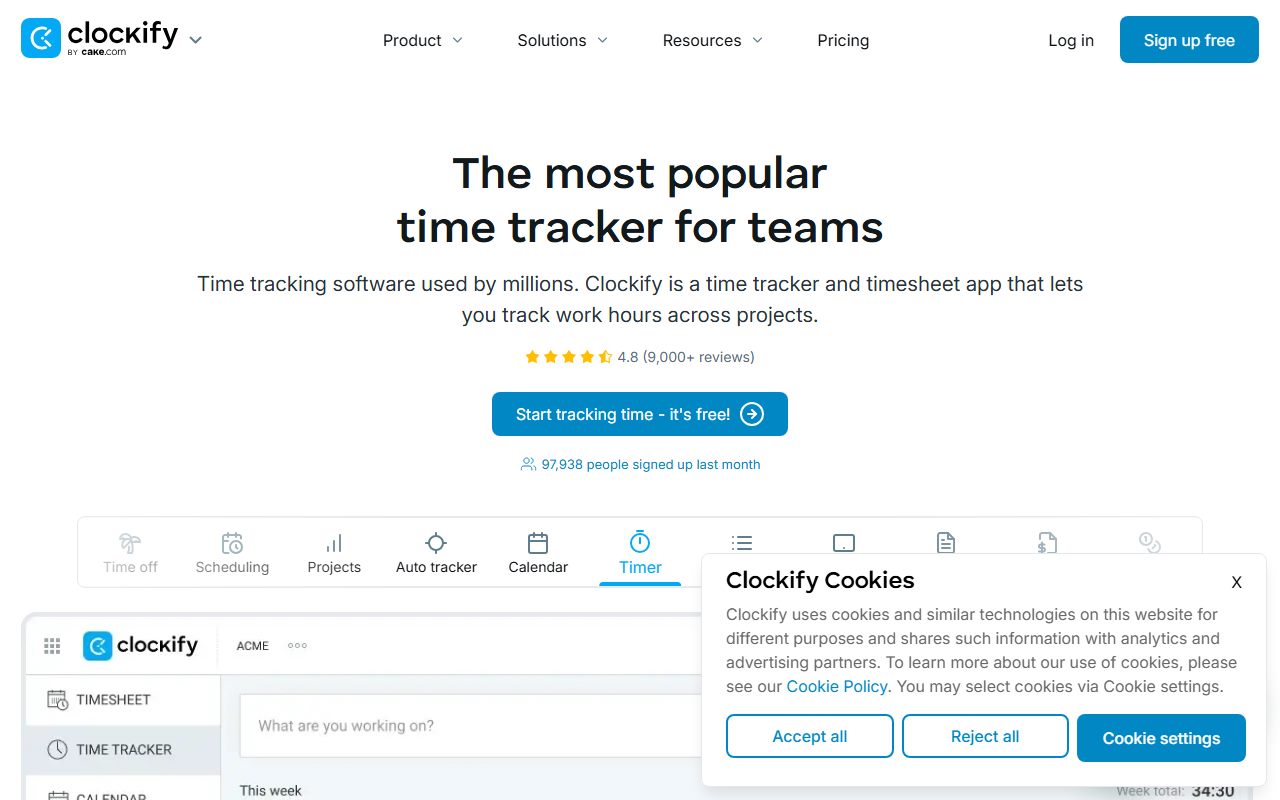
Clockify's comparison table is explicit and restrictive. On the free column, export and share data reads PDF only. The multi-year range row reads up to 1 month, and the reports tooltip repeats that the data range on the free plan is one month.
There is a partial escape. The project export row, whose tooltip names CSV and Excel, is ticked on the free column. So project data leaves as a spreadsheet; your tracked time leaves as a picture.
Harvest's pricing page says nothing about export formats on any tier. Its free card lists four capabilities and no file types, and the paid cards talk about reporting rather than exporting.
That is an absence on the page, not a restriction, and it should not be read as either generosity or a cap.
The practical upshot: on Clockify you know what you are getting and it is a PDF. On Harvest you will have to find out.
For a freelancer who needs to reconcile hours against an invoice in a spreadsheet, Clockify Basic at US$3.99 per seat per month annually is the cheapest certain answer, because it unlocks customised exports and billable rates together.
Harvest's FAQ names two plans that no longer exist on its own cards
A small thing, included because it affects how much weight to put on the rest of the page.
The current Harvest cards are Free, Teams, Enterprise and Enterprise Plus. Those are the names above the prices on October 22, 2026.
The pricing FAQ underneath uses a different vocabulary. One answer says the trial lets you try many Premium features like profitability reporting and timesheet approvals. Another says you can immediately upgrade to the premium plan or schedule a downgrade to the pro plan.
Premium and Pro are not tier names on the cards. Read charitably, Premium now means Enterprise, where profitability reporting and timesheet approvals do in fact sit, and Pro probably means Teams.
Read literally, the FAQ is describing a price list that is no longer on the page.
Neither reading changes what you pay. What it changes is how much of the FAQ you should treat as current, and the usage-fee clause is the part you most need to be current.
A page whose FAQ has not caught up with its own tier renaming is a page to verify at checkout.
Clockify's page is internally consistent on tier names. It has its own inconsistency, and it is about head count: the card and the table both say up to 5 users on the free plan, while the FAQ says you can invite up to 4 people.
Those reconcile if the owner is one of the five, which the page never states.
Harvest gives you 30 days to decide; Clockify gives you 7
Both trials take no credit card, and that is where the similarity ends.
Harvest prints 30 days and explains the ending unusually well.
If you do not upgrade, the FAQ says the trial account is deactivated rather than charged, your data is not deleted, and you can switch to the free plan at any point during the trial provided the account meets the free plan's requirements.
That last clause is the valuable one and most vendors omit it. A trial you can step down from is a trial, not a sales funnel. The exception is also stated: SAML single sign-on cannot be enabled during a trial.
Clockify prints seven days of all Pro features, activated automatically at sign-up, with the sales team named as the route to an extension.
Seven days is too short to test what these tools are for. Billable rates, budgets and a profitability report all answer questions that arrive when you invoice, which for most freelancers is monthly. Within a week you can test a timer and nothing more.
Clockify's defence is that its trial matters less, because the free plan is permanent and the first paid rung is US$3.99. The trial is for choosing between paid tiers, not for deciding whether to begin.
Harvest's 30 days, by contrast, is the only way to see the Enterprise reporting before committing $168 per seat per year.
What neither page tells you
Four gaps, listed because the right response to each is a question at checkout rather than an assumption.
- What Harvest's usage-based fees actually cost. No rates on the pricing page, and the Help Center it points to could not be opened on October 22, 2026 by direct fetch or by a rendered browser request.
- Whether Harvest's usage clause touches the free plan. The free card's wording is softer than the paid cards' but it does not say no.
- What Clockify's free PDF export looks like, or whether a client would accept it as a timesheet. PDF only is a format, not a standard.
- What happens to Clockify data older than a month on the free plan. The one-month cap is written on reporting while unlimited tracking is promised separately, and the page does not reconcile the two.
Choose Harvest if, choose Clockify if
Conditions in bold, because the choice turns on your situation rather than on the products.
- Choose Harvest if you have one or two live projects. Its free plan tracks, invoices and records expenses at $0, which no other free plan here does, and two projects covers a consultant on retainer.
- Choose Harvest if you need 30 days to judge the reporting. The trial takes no card, can be stepped down to free, and is the only way to see profitability reporting before paying $168 per seat per year.
- Choose Clockify if you have three or more projects. Unlimited projects at $0 against $9 per seat per month annually is the single largest price difference in this comparison.
- Choose Clockify if you need the bill to be knowable. Five printed prices and no usage clause, against a seat price plus an unpriced one on Harvest.
- Choose Clockify if you want a spreadsheet of your hours cheaply. US$3.99 per seat per month annually buys billable rates and customised exports together; Harvest does not describe export formats at any tier.
Bottom line
Clockify wins this on terms, and Harvest wins the specific case it was clearly designed for.
If you are billing one or two clients, Harvest free is the better deal and it is not close: tracking, invoicing and expenses for nothing, with a 30-day look at the paid reporting and no card taken. Take it, and watch the project count.
For everyone else Clockify is the safer purchase, and the reason is not the US$3.99 against $9. It is that Clockify's page prices everything it sells.
Harvest's prices seats and defers four other things to a page that could not be opened on the day this was written.
A freelancer choosing a tool in an afternoon should prefer the price list with nothing deferred in it. That is a judgement about pages rather than about products, which is the only kind of judgement a documentation comparison is entitled to make.
The full readings are in the Harvest review and the Clockify review. How this blog grades is at editorial policy, and what a subscription costs beyond its price is in what a tool costs besides its price.
Sources
Harvest's pricing page and pricing FAQ, and Clockify's pricing page, 83-row comparison table and pricing FAQ, all read from the rendered pages on October 22, 2026.
Harvest's Help Center was attempted twice on the same day and returned a 403 to a direct fetch and a bot-verification page to a rendered request; its usage rates are therefore unread rather than unpublished.
Two figures in this comparison are the editorial team's arithmetic on the vendors' own printed prices and are labelled as such: the 18.2% and 20% annual discounts on Harvest, and the 20% and 21.5% on Clockify.
Other tools in the category are graded separately; Bonsai, FreshBooks and Expensify each have their own review.
Frequently asked
Is Harvest or Clockify cheaper for a freelancer?
Harvest, at zero, if you have one or two projects: its free plan includes invoicing. At three projects Harvest is $9 per seat per month annually while Clockify is still $0, and Clockify's cheapest invoicing tier is US$5.49, well under Harvest's $9.
Which one can invoice clients on the free plan?
Harvest. Its free card lists invoicing and expense tracking alongside time tracking, checked October 22, 2026. Clockify's comparison table leaves invoicing blank until Standard, US$5.49 per seat per month billed annually.
How many projects does Harvest free allow?
Two, printed on the free card next to 1 seat. For a freelancer that usually means two live client engagements, which is the limit most people hit first. Clockify's free plan does not cap projects at all.
What are Harvest's usage-based fees?
Unknown here. Every paid card says extra invoices, projects, clients and tasks are billed on use, and no rates appear on the pricing page. The Help Center it refers you to could not be opened on October 22, 2026 by either method tried.
Can I get my hours out of Clockify's free plan as a spreadsheet?
Not your tracked time. The free column marks export and share data as PDF only and caps reporting at a one-month range. Project data does export to CSV and Excel. Billable rates and customised exports start at US$3.99 per seat per month annually.
Which has the longer free trial?
Harvest, by a wide margin: 30 days against Clockify's 7, with neither collecting a card. Harvest also lets you step down to the free plan during the trial if the account meets the free plan's requirements.
Visit Harvest
We have no affiliate relationship with this vendor. Link goes to the official site.
Visit Clockify
We have no affiliate relationship with this vendor. Link goes to the official site.